Why Amazon Title Optimization Tips Matter More Than a Keyword List
Amazon title optimization tips are not a shortcut for cramming more search terms into the first visible line. In search results, the title is a quick click-through decision point: shoppers scan it, compare it with neighboring listings, and judge whether the product looks relevant enough to open. It has to serve search relevance and human readability simultaneously.
Compare two similar listings. One opens with brand, product type, and a clear differentiator; the other stacks overlapping keywords and postpones the product type. The first tells the shopper what the item is and why it differs before the shopper has to work to find out. That faster comprehension can support stronger CTR and a cleaner path to CVR, though it guarantees neither.
The distinction matters because title problems are easy to misread as traffic problems. One golf accessories seller with a compact stroke counter arrived frustrated that ads were not converting. The team was ready to keep tuning bids, keywords, and budgets, but listing scoring against a relevant benchmark showed the weakness was not primarily ad setup: the title and main image set were underperforming, while the bullet points were actually stronger than the benchmark’s. The page was attracting traffic but not giving shoppers a clear enough reason to click and trust it. That is the practical reason title optimization tips matter: the title is not a container for keywords; it is the first layer of expectation-setting.
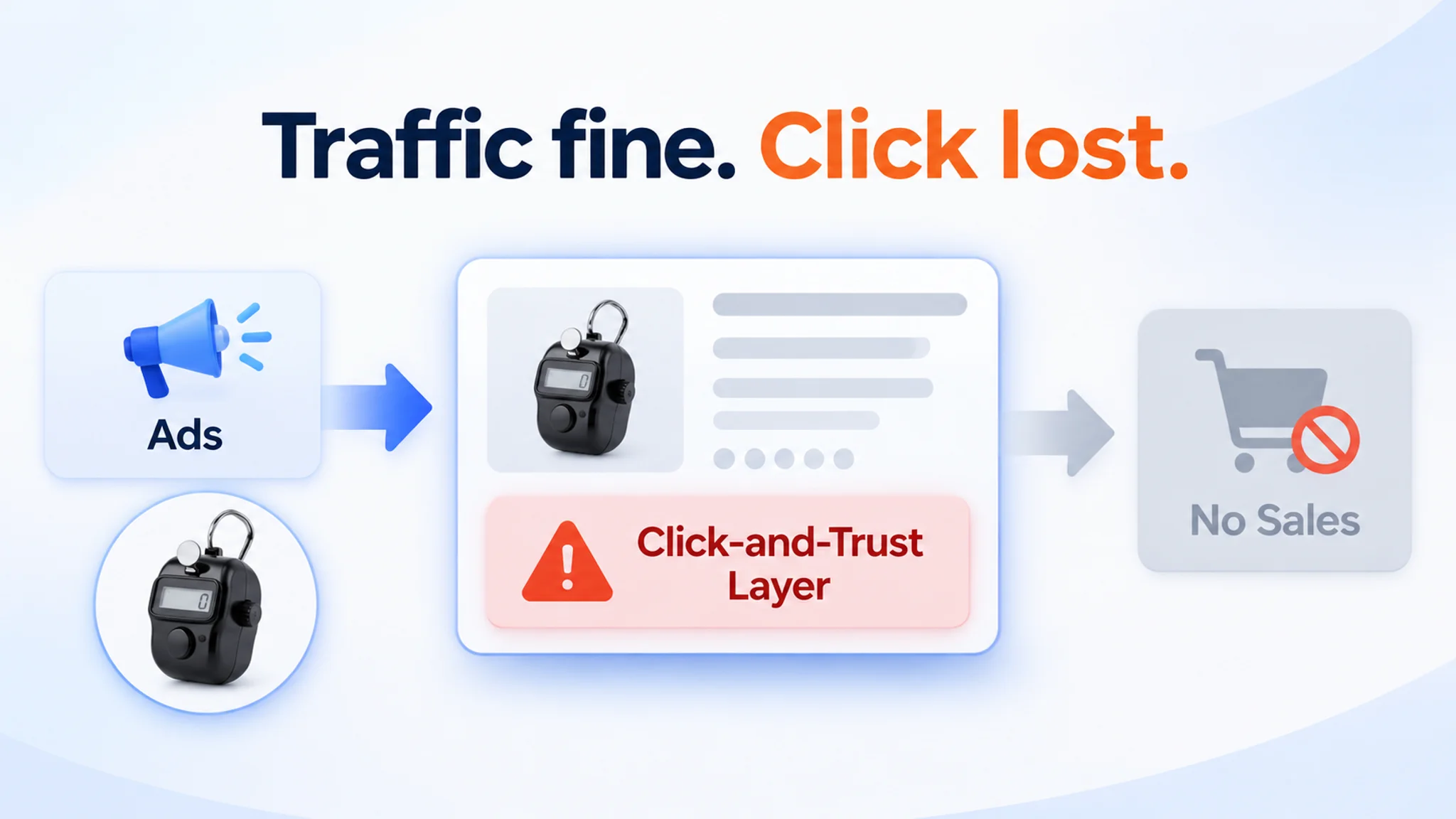
The title also works alongside bullets, images, A+ content, and the description, yet it has a distinct job: frame the product clearly enough to earn the click. Amazon ranking is not fully disclosed; relevance and performance signals are commonly cited, so no single field should be treated as a stand-alone ranking lever. The practical thesis is simple: title optimization is constrained writing—selective, compliant, and readable—not keyword density.
Amazon's Guidelines: Compliance and Required Title Structure
A noncompliant title can be blocked before it ever earns an impression, while a compliant but poorly ordered title can still lose CTR and CVR through truncation or risky wording. Run this pre-rewrite check first.
Length, Category-Specific Limits, and Display Truncation
- Confirm the current character cap for your category in Seller Central or the category style guide before drafting.
- Treat the source reference to a 2025 policy near 200 characters for many non-media categories as a planning baseline, not a universal rule; some categories are shorter.
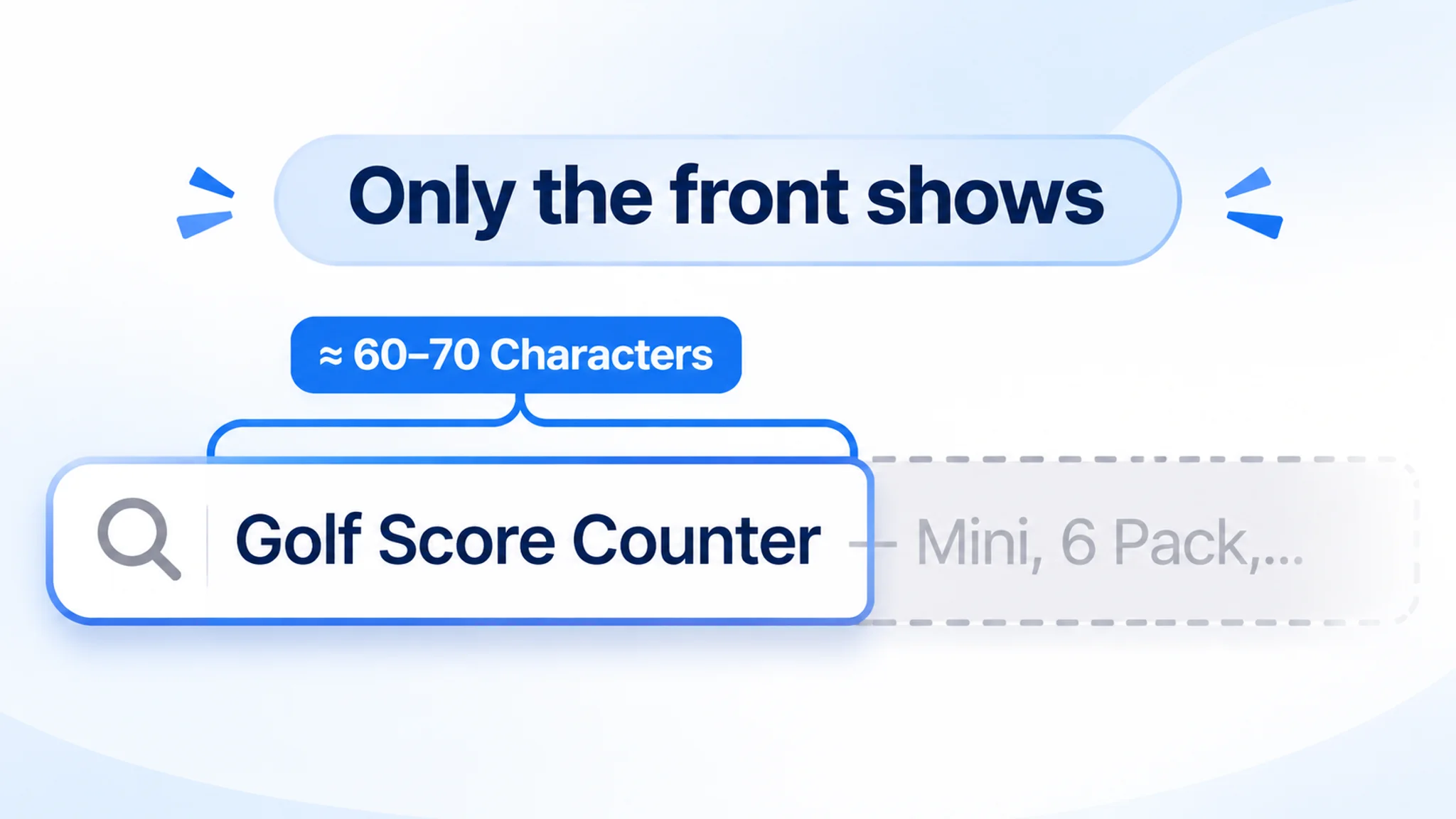
- Put the most important product terms in the first roughly 60 to 70 characters, because some search results may display only that portion.
- Use a roughly 75 to 80 character mobile display guideline as a readability check, not as Amazon’s official title policy.
The golf score counter example shows why this display-zone discipline matters. The benchmark title led with pack quantity—“6 Pcs”—and a size expectation—“Mini”—early enough to register in the search result. The customer’s title was structurally simpler and did not signal pack quantity upfront. That was not a character-limit failure; it was a failure to use the visible title zone to answer basic shopper questions. The lesson is not to copy a competitor’s exact wording, but to make the first visible portion carry product identity, quantity, and the most relevant expectation.
Prohibited Claims, Characters, and Promotional Language
- Remove promotional claims such as “Best Seller,” “Top Rated,” “Hot Item,” and “Free Shipping.”
- Remove prohibited characters, subjective claims, redundant modifiers, and excessive capitalization.
- Check that wording does not exaggerate product advantages or imply unsupported outcomes.
- Recognize that mandatory standards are enforced by the system; noncompliant content can be blocked.
Required Information, Capitalization, and Keyword Field Roles
- Include required structural signals: brand, product type, and variants.
- Add model name or number where relevant, and keep detailed model naming for the next step.
- Place important terms in the visible title; backend search terms support additional indexing and misspellings but do not replace title relevance.
Brand, Product Type, and Variants as Structural Signals
- Lead with brand where category rules require it, then product type, so the title reads as a clear catalog entry.
- State variants accurately and consistently, because variant terms help buyers and indexing match the correct item.
- Recheck the final title against the current category requirements in Seller Central or the category style guide before publishing.
Model Name/Number: Place Identifiers Without Wrecking Readability
Model identifiers occupy an awkward place in title work: shoppers need them, search indexes them, yet they are the quickest route from a readable title to a string of code.
Whether a model name or number is required or merely useful depends on your category, so verify current category-specific title requirements and style guidance before treating any pattern as a rule. Across categories, the purpose remains consistent: an identifier lets a shopper confirm that they are looking at the exact product, the right variant, a compatible accessory, or the correct replacement part.
A generic component order preserves that purpose:
- Brand
- Model name or number
- Product type
- Differentiator
- Variant, such as size, color, or pack count
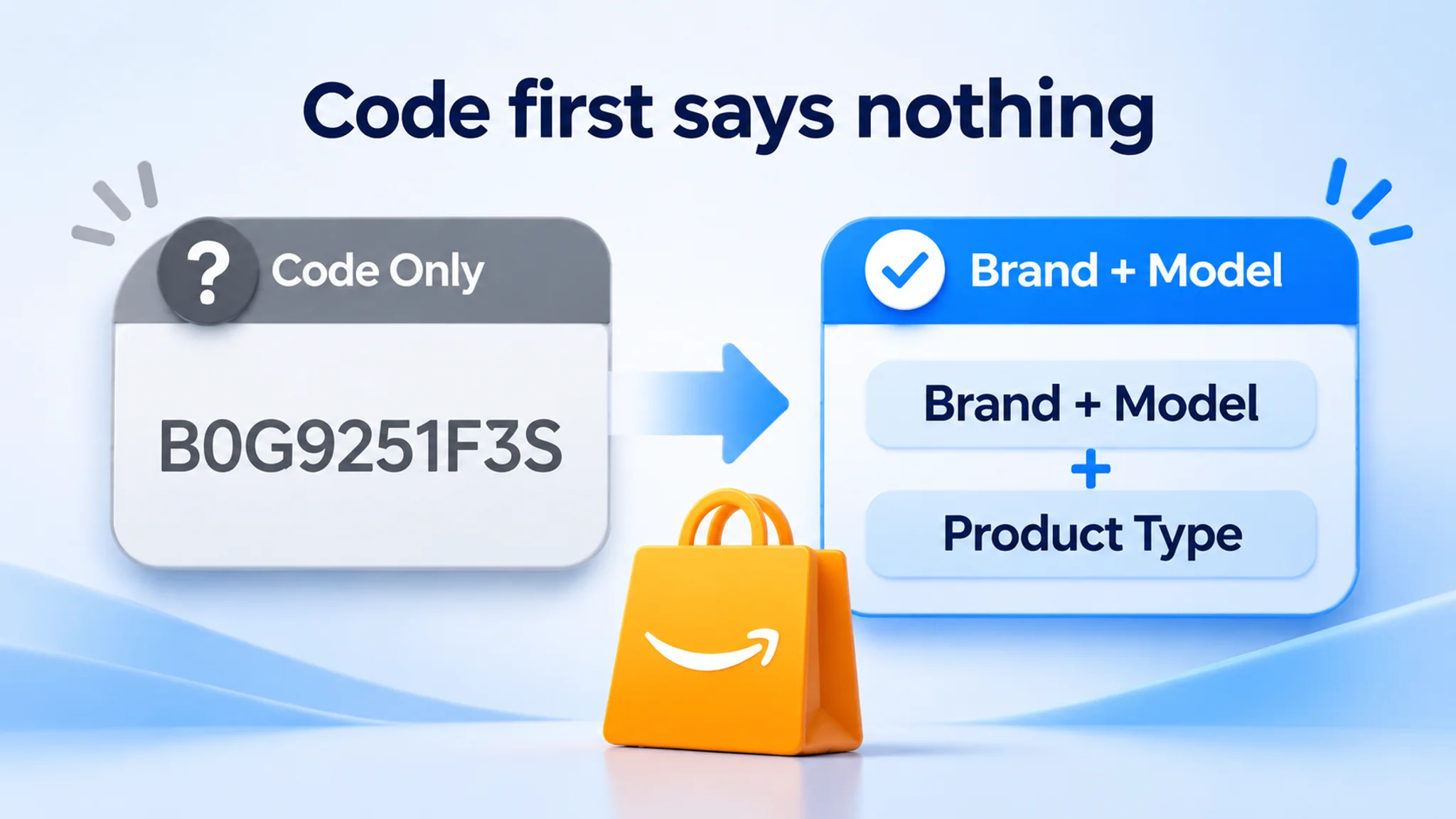
Place the identifier after the brand—or after the brand and product type where possible—so the opening still tells a shopper what the item actually is. Brand plus model answers "which one"; a leading code answers nothing.
Two failure modes merit removal during an audit: duplicated identifiers repeated in slightly different forms, and cryptic internal codes that consume characters inside the 200-character limit while displacing the product type. A model number does not lift ranking by itself—relevance, readability, and compliance do—so pushing an identifier into the first position buys no CTR and risks the CVR that comes from a shopper instantly recognizing the product. Keep the human-readable product description intact; the identifier should support it, not replace it.
Creating Compelling Titles: Length, Word Order, and Keywords
A title must accomplish two things: help a shopper decide quickly and help Amazon understand what the product is. Category policy and display truncation constrain length, so every word must earn its place. The practical test is not “How many keywords can fit?” but “What does the customer need to see first, and what does the search system need to understand clearly?”
Front-Load Meaning Within the First 60-70 Characters
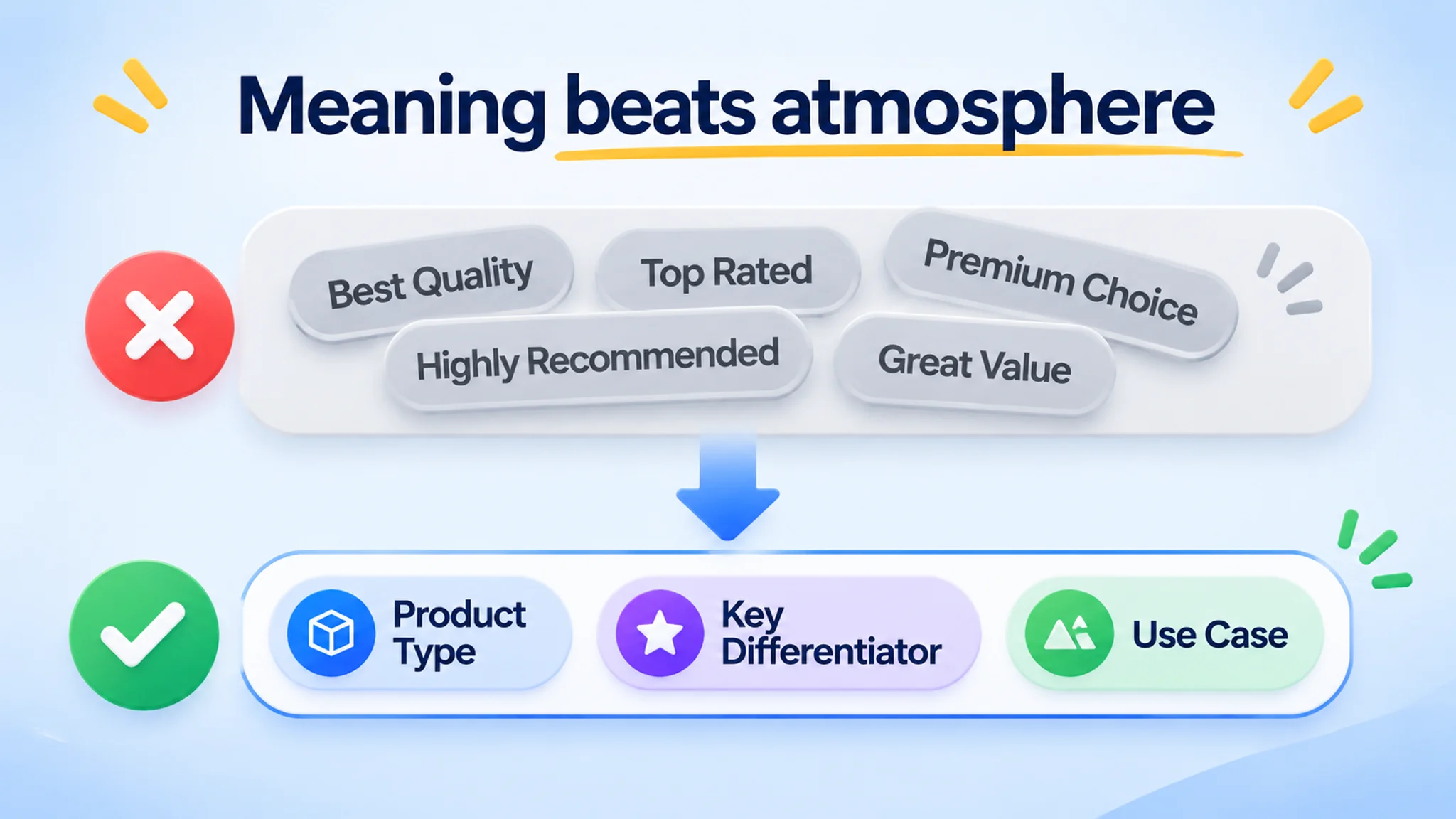
Front-load the most important meaning within the first 60–70 characters. That zone should identify the product type, core keyword phrase, and the most relevant use case or audience. A title that opens with a brand name and generic praise delays both human comprehension and search clarity. For example, “compact coffee grinder for apartment kitchens” tells the shopper more than “premium best-quality kitchen appliance.” Lead with meaning, not atmosphere.
The golf score counter diagnosis is a concrete example of front-loading meaning. The benchmark title led with “6 Pcs” to create immediate value perception, called out “Mini” to set a size expectation, stacked high-intent terms such as “Golf Score Counter,” “Stroke Counter,” “Scorekeeper,” “Accessories,” and “Glove,” and closed with scenario cues such as “for Outdoor Light and Compact.” The customer’s title was structurally simpler: it did not signal pack quantity upfront, was less aligned with the cluster of high-volume search terms, and did not explicitly tie the product to glove attachment and outdoor portability. The gap was not decorative. It meant ads could keep buying impressions on keywords where the listing was not the strongest candidate to win the click. The point is not to copy the benchmark word for word, but to make the opening carry the product’s identity, quantity, compatibility, and use context.
Use 4-5 Core Keywords as a Starting Point, Not a Rule
Use roughly four to five core keywords as a starting point, then validate them against the category, search behavior, and the product’s actual features. Treat this as a working range, not a rigid rule. Keyword placement matters unevenly: the opening phrase carries more weight for readability and relevance than a term buried at the end. Choose customer language, not internal jargon, and keep the sentence readable once the keywords are removed from the list and placed back into the title.
Build a Repeatable Title Skeleton
A repeatable skeleton is brand + model where relevant + product type plus core keyword phrase + one or two differentiators + variant. This keeps titles consistent without making them mechanical. Illustrative, non-endorsed contrast:
- Weak: “Amazing Premium Best Coffee Grinder Machine for Home Kitchen Travel Office Gift Durable.”
- Strong: “Northline C2 Compact Coffee Grinder, Stainless Steel Burr, Adjustable Settings for Home and Travel.”
The strong version names the product, clarifies the differentiators, and gives the shopper a reason to click. The weak version repeats generic praise and forces the reader to decode the offer.
Avoid Keyword Stuffing That Hurts Readability and Relevance
Keyword stuffing harms customer experience and can weaken relevance. Long strings of repeated or loosely related terms make the title harder to scan, blur the product’s identity, and can depress CTR and CVR. DeepBI’s Listing multi-dimensional CTR/CVR diagnosis can expose title weaknesses alongside other listing factors, and its prioritized execution list can rank fixes by impact. The tool supports judgment; it does not replace human copywriting.
The golf counter issue was not simple keyword stuffing. It was incomplete expectation-setting: the title did not fully communicate quantity, size, attachment, and use context. That distinction matters because adding more keywords would not have fixed a title that was already failing to tell the shopper what the product was and why it fit a specific golf use case.
Competitor Layout Gaps: Find What Rival Titles Leave Out
Start with a relevant sample, not the first Bestseller you see. Pull competitor titles by extracting core search terms from your own title and bullets, simulating buyer search, and narrowing to the same low-level category. Keep the set close in product form, use case, function, price band, and audience; otherwise, a mismatched benchmark creates false gaps and weak priorities.
Then map each title into components: brand, core selling point or result promise, product form, supplemental modifiers, confirmed attributes and specs, variant clarity, promotional filler, and length or identity clarity. A simple side-by-side map helps: Title A states the product type early, names the key attribute, and makes the variant obvious; Title B stacks modifiers, hides the product form, and leaves the variant unclear. The gap is not “Title B is bad”; it is the specific missing attribute, vague specification, weak product-type phrasing, promotional filler, or overlong string that buries identity.
In the golf score counter case, the benchmark was a relevant same-niche listing, not just a random bestseller. The component map showed that the benchmark title led with quantity and size expectation, stacked high-intent category terms, and closed with scenario cues for outdoor, light, and compact use. The customer’s title was simpler, omitted pack quantity upfront, was less aligned with the high-volume search cluster, and did not explicitly connect the product to glove attachment and outdoor portability. The actionable gap was therefore specific: add quantity signal, clarify the mini size expectation, include the scorekeeper and attachment language, and make the outdoor use case visible. That is how competitor layout mapping should work—not as copying, but as turning a rival’s structure into concrete title decisions that match your product truth.
Do not copy a rival title wholesale. Prioritize only gaps that match your product truth, brand strengths, and economics, then turn each into a concrete title or content action. Review the sample periodically to track competitor title patterns over time. Use BSR, review count, star distribution, and ratings as context or sample filters, never as proof of title quality. DeepBI’s Listing intelligent scoring and competitor benchmark can identify high-competitiveness ASINs and turn title and content gaps into prioritized optimization directions, while you retain brand and compliance judgment.
Test, Diagnose, and Update Titles Without Overclaiming
A title change is a hypothesis, not a verdict. A seller-run A/B test or split test can compare title versions against a stable offer and a clear measurement window, but the result tells you only what happened in that context. It does not prove that copy alone caused the shift.
The golf accessory seller is a useful example of why a metric pattern is not a diagnosis. From the seller’s perspective, ads were driving impressions, but clicks and orders were not following the expected trajectory, and ACOS felt heavy relative to the perceived quality of the listing. The page already had A+ content and structured bullets, so attention stayed on campaign structure and bids. But the listing score against a benchmark was 72/100 versus 82/100, with title at 12 versus 17, main image set at 23 versus 26, bullet points at 8 versus 6, detail/A+ at 19 versus 22, and reviews module at 10 versus 11. The bullet points were stronger than the benchmark’s. The problem lay in the elements that drive discovery and click, plus visual trust and understanding. The seller also had a higher star rating and cleaner review sentiment than the benchmark, so the bottleneck was not social proof. It was that the listing did not visually or semantically align with how golfers evaluate this accessory in search results and on the product page.
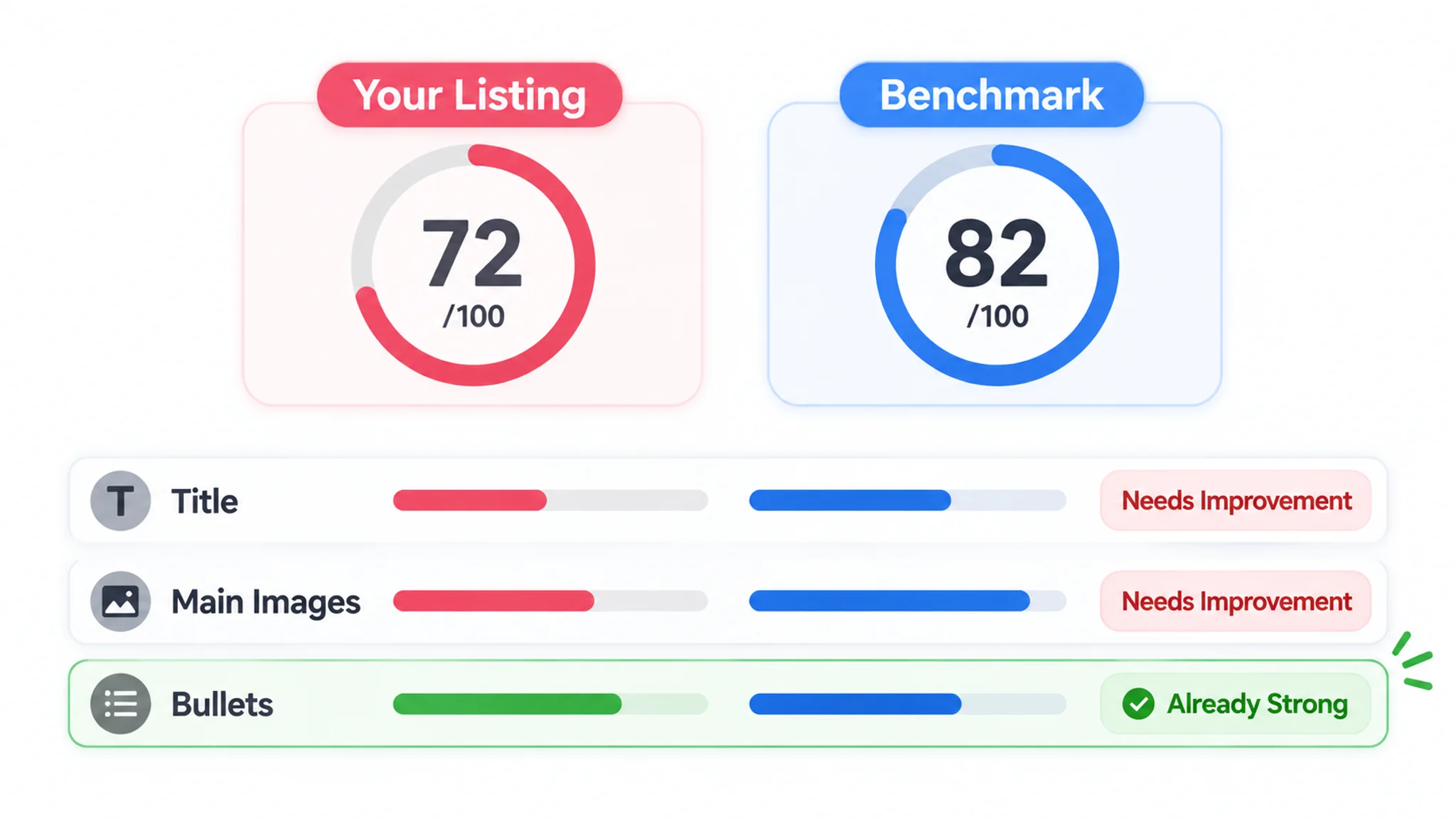
High CTR with low conversion (CVR) is a useful pattern, not a diagnosis. Before blaming the title, audit:
- price, reviews, and images;
- shipping cost and stock status;
- traffic quality and the full offer.
Treat title testing as one slice of full-listing diagnosis. A title test compares wording variants; a listing diagnosis asks whether the main image, bullets, A+ content, reviews, price, and availability can convert the traffic the title attracts. In the golf counter case, the title was one weak search-facing element, but not the only one: main image hooks and A+ explanation also needed to support the click and the purchase decision. That is why the right response was not “test one more title variant” in isolation, but “diagnose whether the page earns the click and the purchase.”
Use metric patterns to form hypotheses, then confirm them with a controlled comparison. Update titles when search terms shift, product details change, or category rules change, and keep listing cycle time deliberate.
DeepBI’s Organic high-CTR/high-CVR/high-order-value keyword selection can serve as a causal bridge for future title emphasis: use those terms as candidates, not conclusions. The rewrite remains a Listing task, not an Organic Traffic native capability.
Ready to Grow Your Business? Turn Title Optimization into a Repeatable Amazon Workflow
Make title work a fixed Amazon routine rather than a reactive rewrite. Run this sequence:
1. Audit compliance: check character limits, prohibited promotional terms, and unsupported claims before judging readability.
2. Benchmark competitors: compare against similar products, not only Bestsellers, so the reference set is realistic.
3. Prioritize gaps: rank issues by likely impact on CTR, CVR, and listing cycle time.
4. Draft options: produce several title directions, removing redundant modifiers and keeping the core selling point visible.
5. Run human compliance review: a seller confirms product facts, claim accuracy, and brand rules.
6. Apply approved changes: use controlled updates and keep a record of what changed.
7. Monitor results: track CTR and CVR trends after the change; for visual-related listing updates, log an iteration event and review the slope over the following 7–14 days.
The golf counter project shows why this sequence needs to be followed in substance, not just in name. The seller already had A+ content and structured bullets, so the issue was not a blank page. Benchmarking and prioritization revealed that the title and main image set were carrying less decision weight than the benchmark’s, while the bullet logic was actually a strength. The title rewrite therefore had to bring quantity, mini size, reset function, attachment, and outdoor portability into the search-facing copy, while the rest of the listing had to visually support those promises. That is the difference between a reactive title tweak and a repeatable workflow: the title is fixed in the context of the full listing, not in isolation.
Human review and marketplace verification belong between drafting and application: confirm product facts, claim accuracy, brand rules, and how the title will render in the target marketplace. AI can speed the drafting step, but it should not replace seller judgment. DeepBI’s Listing AI title and bullet generation offers multi-option preview, SP-API one-click application, and version comparison to reduce manual re-upload friction. Still, every suggestion needs human accuracy and compliance review before it reaches the Amazon backend.
Topics: Quick Reference for Amazon Title Optimization
Use this short checklist as a final pass before a title goes live or is revised. It recaps the working rules from this playbook rather than adding new claims.
- Confirm category-specific title limits and verify current requirements in Seller Central or the category style guide.
- Remove prohibited promotional claims, restricted characters, and exaggerated wording.
- Include brand, model where relevant, product type, and variant signals in a readable order.
- Front-load core keywords and product meaning, then preserve natural readability instead of keyword repetition.
- Compare competitor title layouts for missing attributes, unclear variants, weak product-type phrasing, and promotional filler.
- Use seller-run tests and a scheduled update cadence when search terms, product details, or category rules change.
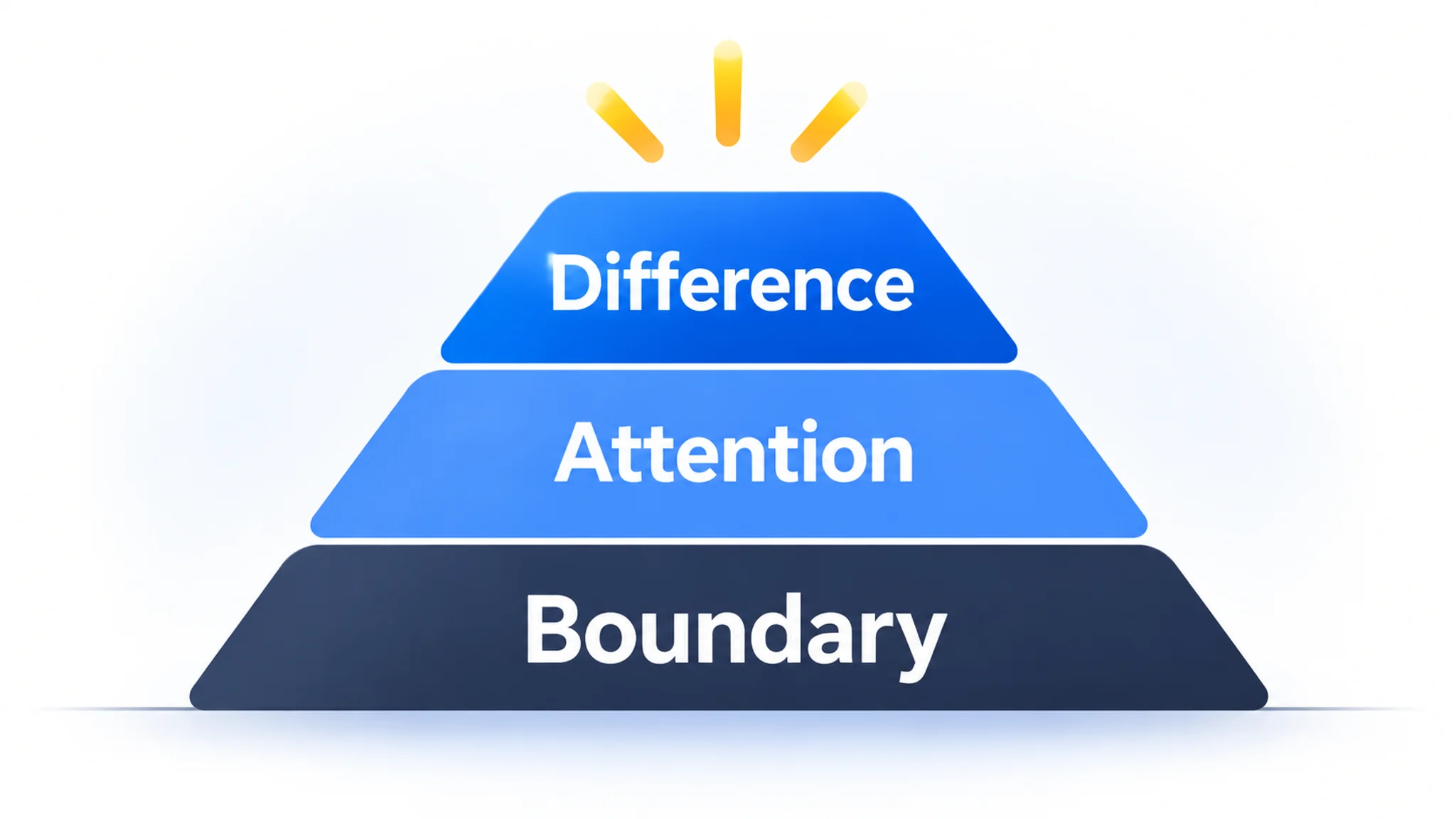
Treat the title as constrained writing: compliance sets the boundary, readability earns attention, and clear differentiation helps the right shopper recognize the product without guessing.