

Selecting Your Language for Official Guides
- Amazon Seller Central Help Pages — Open the relevant help page in Seller Central and use the language dropdown to select an available language version. The options shown by Amazon may vary by marketplace, so rely on the languages displayed in your own Seller Central account rather than assuming that every policy page is available in every language. Reviewing the guidance in a familiar language can help reduce interpretation errors when checking title limits, formatting rules, and other listing requirements.
- This English Guide — This guide synthesises the official requirements into practical instructions for sellers working with Amazon product titles. It is intended to clarify the policy and support implementation, but it does not replace Amazon’s own policy documentation. Use it as a working reference when planning keywords, reviewing title structure, or preparing listing updates.
- Your Localised Amazon Policy Version — For exact wording, scope, and enforcement details, consult the policy version provided through the language selector for your marketplace. Compare that version with your planned title before publishing, especially where character limits, category-specific rules, or mandatory formatting requirements may affect whether content is accepted. Following the official localised wording helps prevent avoidable system blocks that can delay listing updates and extend listing cycle time.
The New Title Limit: What Just Changed?
- PPC.land coverage of Amazon’s 75-character title policy — enforcement beginning July 27, 2026; the 75-character limit including spaces; phased AI replacement of non-compliant titles; and a 14-day review window for brand owners.
- Amazon seller forum discussion — seller reaction to the policy change, including 107 replies.
- Amalytix analysis of Amazon’s sales-ready listings — the scale of approximately 12 million listings and the policy’s connection to improving the mobile shopping experience.
- DeepBI Listing Product Documentation — title keyword restructuring, removal of repetitive modifiers, clearer selling-point prioritization, and the balance between search relevance and consumer readability.
- Platform Guidelines — mandatory standards governing listing content, including title character limits and other system-enforced requirements.
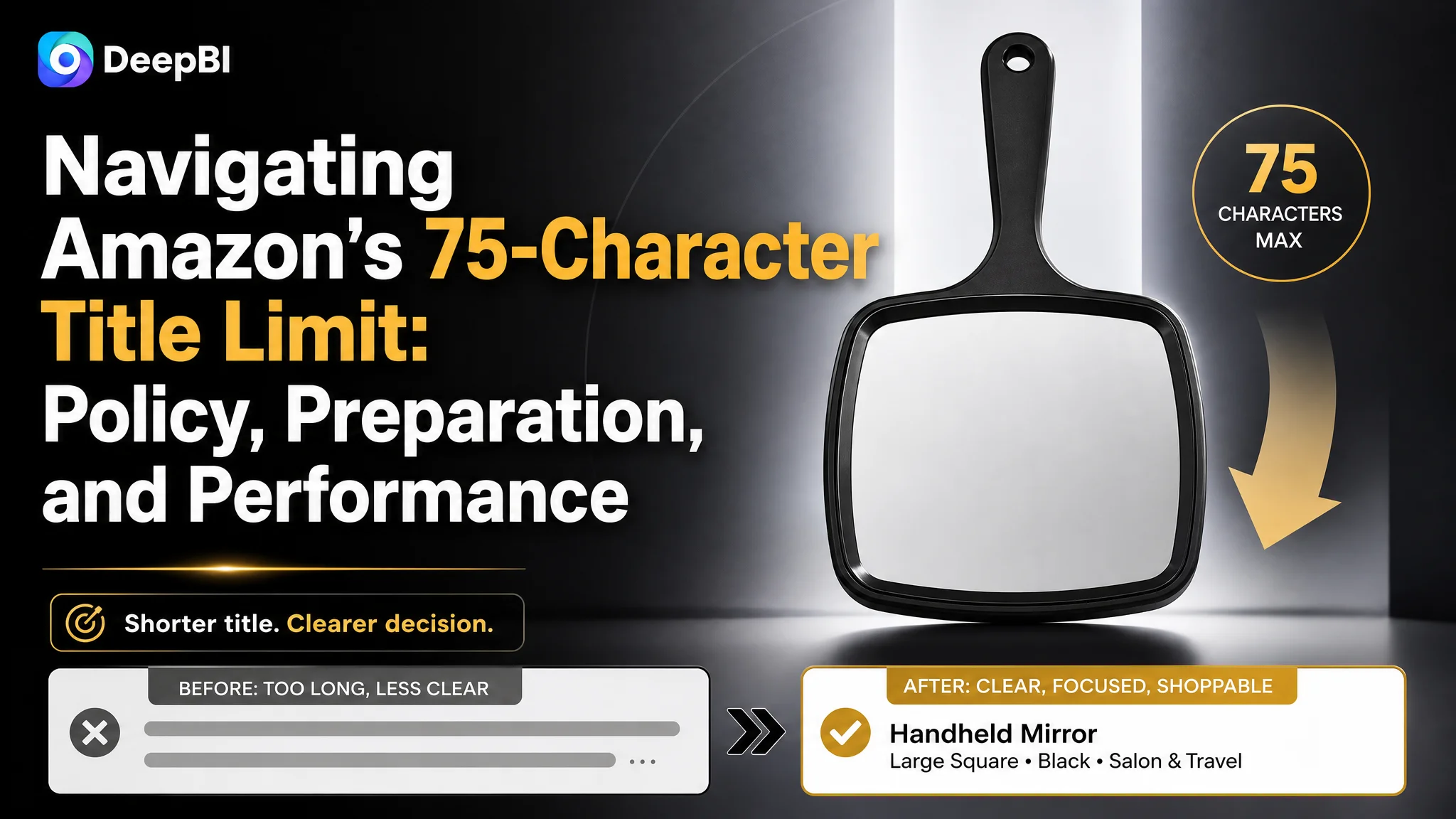
The change is not only a compliance exercise. A shorter title changes how sellers must prioritise information at the first stage of the buying journey. Every word now has to contribute to search relevance, product understanding, or purchase confidence.
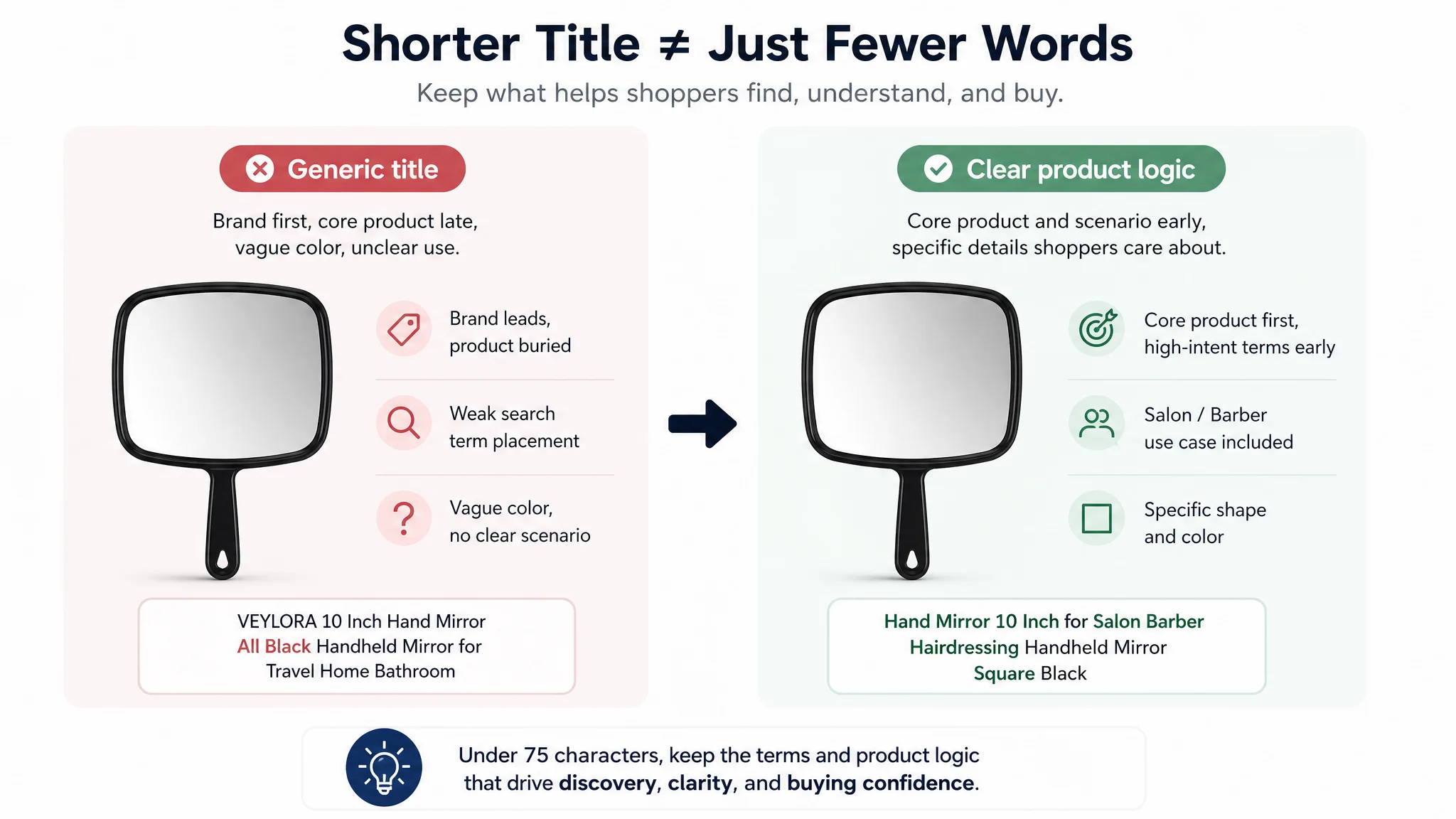
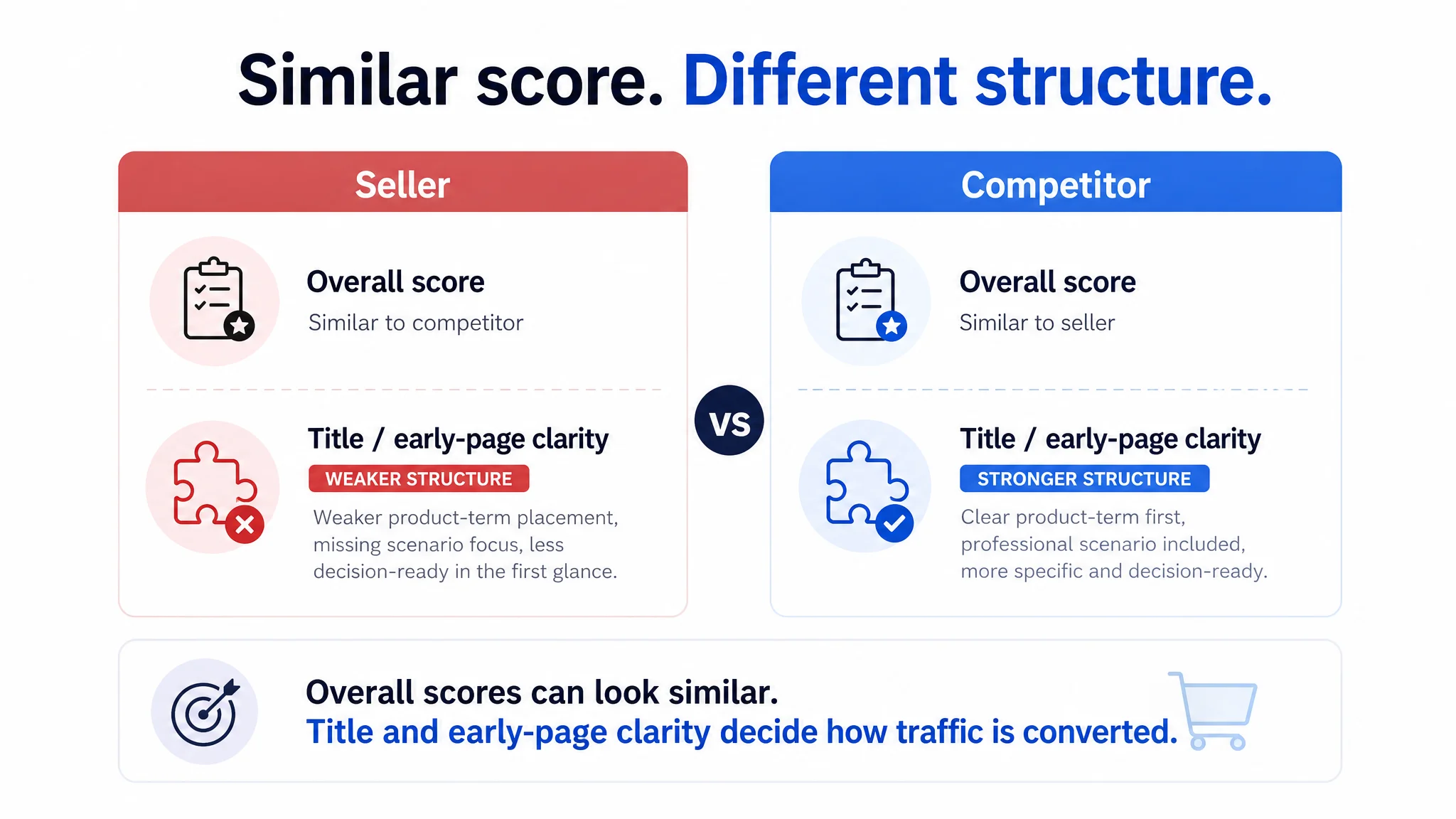
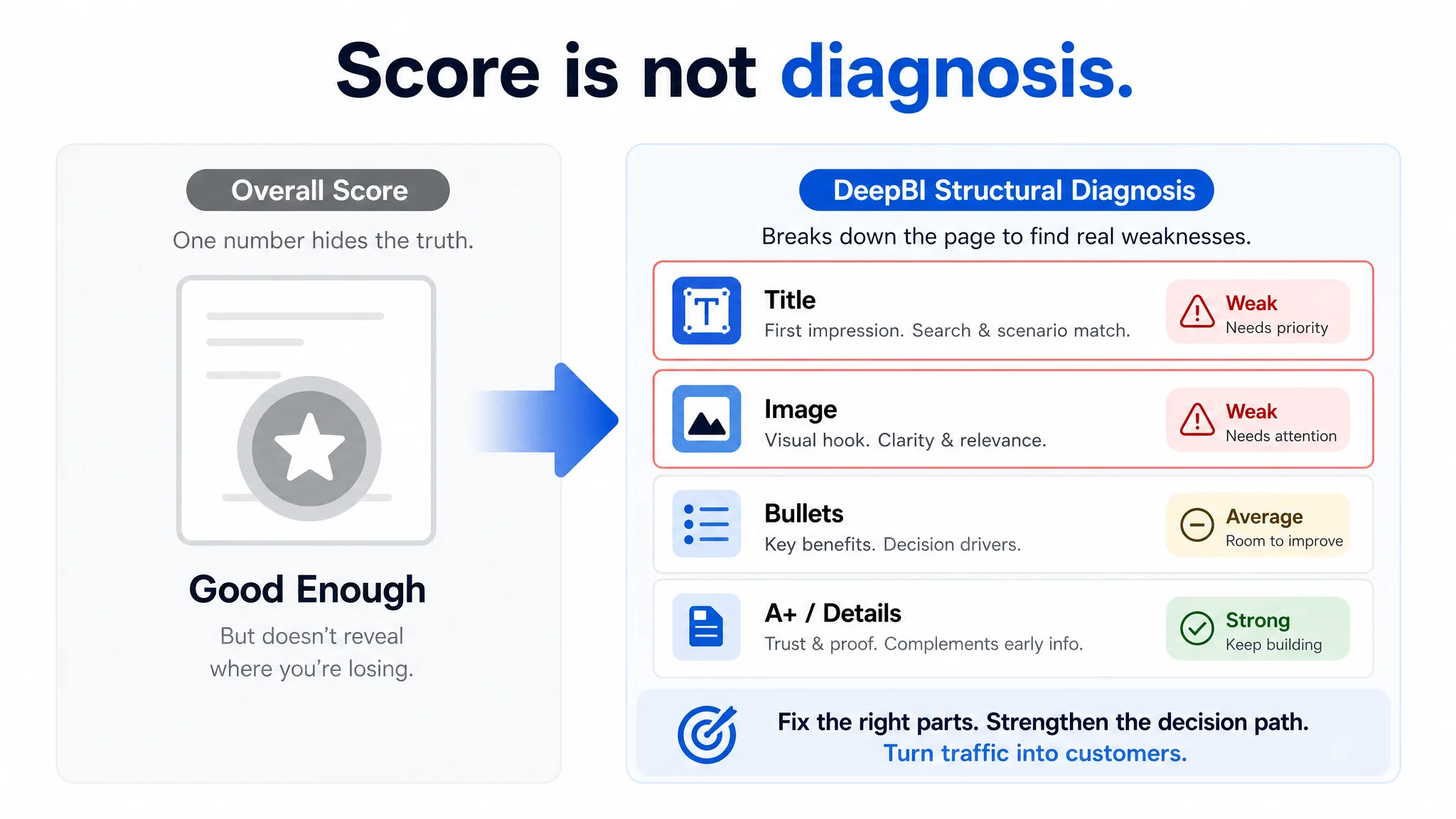
This becomes especially important when a listing appears healthy in other areas. One Amazon hand mirror listing, for example, had a 4.6-star rating, nearly 1,900 reviews, and an overall listing score close to a key competitor. The seller initially assumed the page was strong enough and that advertising efficiency was the main issue. However, a closer diagnosis found that the title placed the brand before the core product term, omitted professional use-case terms such as “salon” and “barber,” and used a vague colour description. The listing had social proof, but its title was not making the product’s relevance immediately clear.
That distinction matters under a 75-character limit. A shorter title cannot simply remove words at random. It must preserve the terms and product logic most likely to influence both discovery and the buyer’s first decision.
Product Title Requirements and Guidelines
A title is both a discoverability asset and a controlled compliance field. Quantifiable limits make review more credible and reduce avoidable risks to CTR, CVR, and listing continuity.
Key Title Requirements (Mandatory)
- Keep the title to a maximum of 75 characters, including spaces. For historical policy context, the previous limit was up to 200 characters, meaning 200 or fewer.
- Remove special characters such as !, ^, $, #, and %, unless the character is part of the brand name.
- Exclude subjective or promotional claims such as “Hot Item” and “Best Seller.”
- Do not repeat the same word more than twice in one title.
- Avoid ALL CAPS, except where capitalization is permitted for the brand.
- Check that every title element accurately describes the product and its actual offer.
- Use a side-by-side check before publishing:
- Compliant: Acme Stainless Steel Water Bottle, Insulated, 24 Ounce
- Non-compliant: ACME!!! BEST SELLER Water Bottle Water Bottle Water Bottle
- Treat the character count, word frequency, capitalization, punctuation, and factual accuracy as separate checklist items rather than relying on a general visual review.
Compliance should not be treated as separate from commercial performance. A title can pass a basic character check and still be weak if it hides the product type, buries the highest-intent term, or uses vague wording where a more specific descriptor is available.
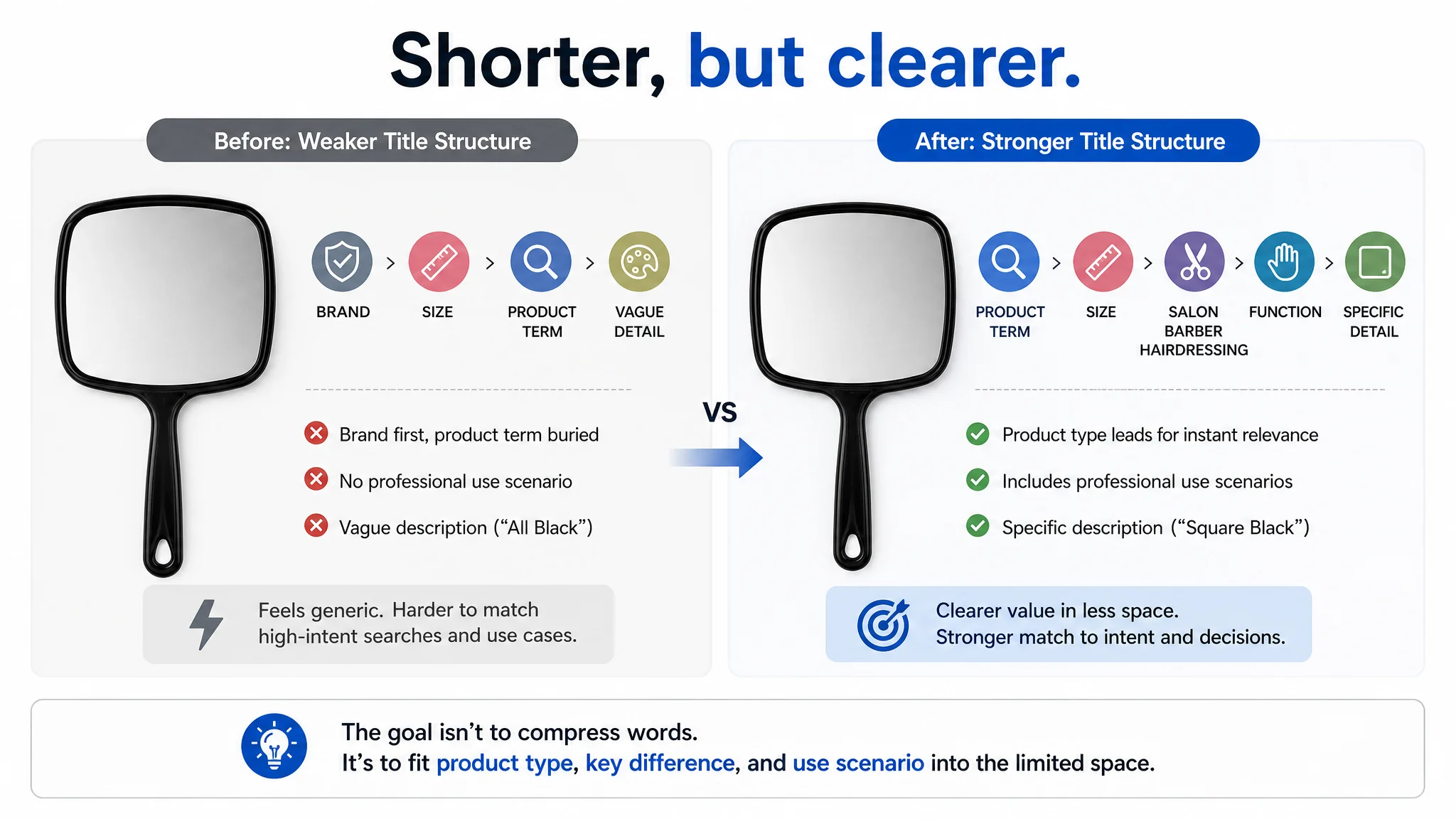
The hand mirror diagnosis illustrated this gap. The seller’s title was not necessarily inaccurate, but its structure was less useful for both Amazon and shoppers. It followed a roughly brand-first pattern, with the core product term appearing later and no clear reference to salon, barber, or hairdressing use. The competitor used a more direct structure built around the product term, size, professional scenario, function, and a specific shape description such as “Square Black.” The difference was not simply the number of characters. It was the amount of decision-relevant meaning communicated in the available space.
A title should therefore be reviewed on two levels:
1. Does it comply with Amazon’s requirements?
2. Does it use the limited space to communicate why the product is relevant to the intended shopper?
Consequences of Non-Compliance
- Expect a non-compliant title to be automatically suppressed or replaced by Amazon’s systems, reducing the listing’s ability to attract qualified traffic.
- Review titles before submission because system enforcement can interrupt listing availability and extend listing cycle time.
- Remember that sellers remain legally responsible for title accuracy, even when a title passes an automated check.
- Maintain an approval record or internal review step so title changes can be traced to a specific compliance decision.
A non-compliant or poorly structured title can also create problems beyond the title field itself. If the title weakens search relevance or fails to establish the product’s use case, paid traffic may arrive with lower purchase intent or less confidence.
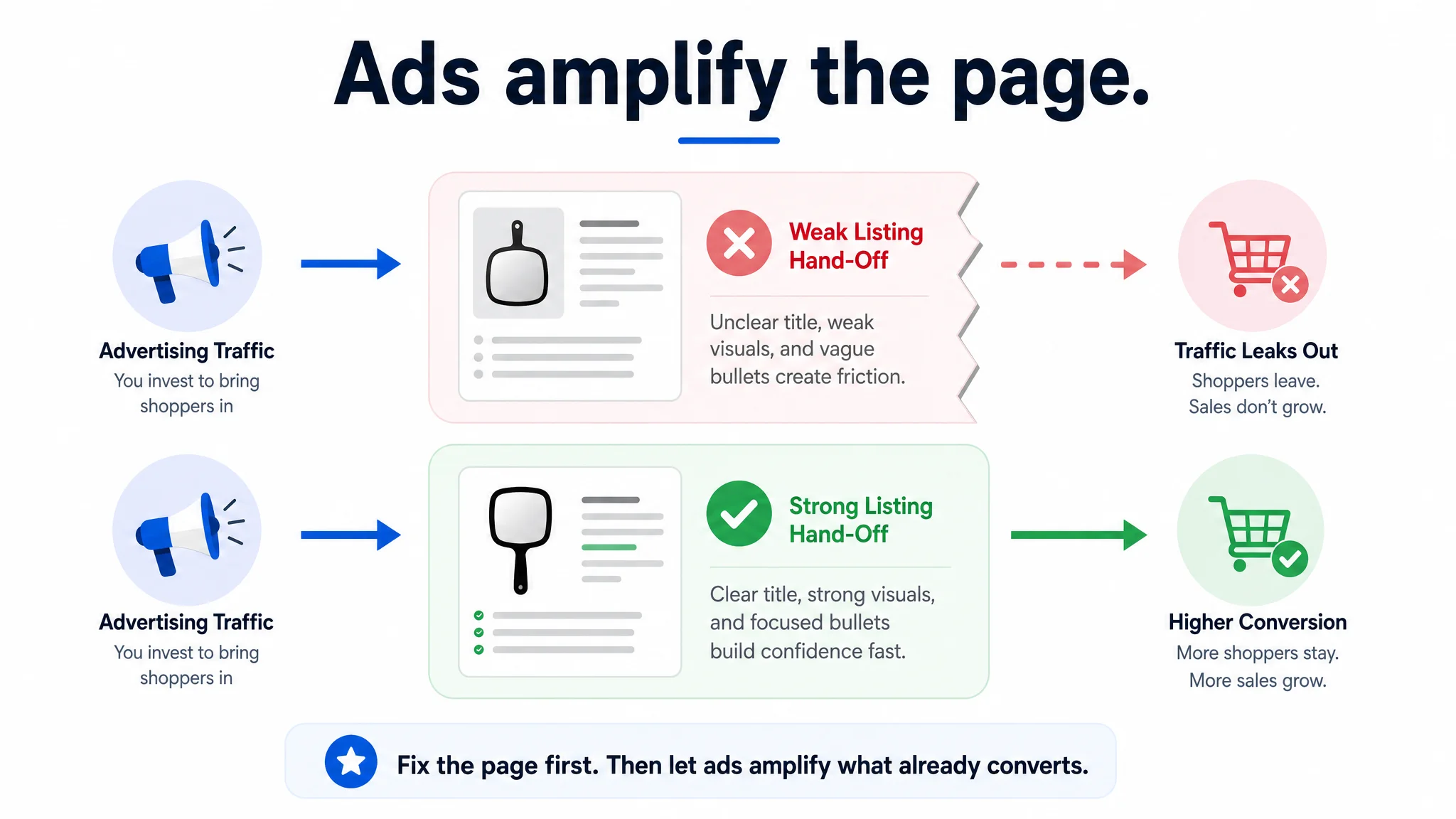
In the hand mirror example, the seller initially responded to advertising pressure by refining bids, adjusting keywords, and changing budgets. Yet the listing’s early-stage message remained largely unchanged. The title did not clearly tell professional users that the product was designed for salon, barber, or hairdressing scenarios, while the main image and bullet structure also failed to carry that message quickly. The issue was not that advertising could not bring visitors to the page. The issue was that the page did not make the product sufficiently decisive once visitors arrived.
This is why title compliance should be paired with a broader listing review. A compliant title that does not support the rest of the conversion path may still leave sellers paying to send traffic to a page that is only “good enough.”
Best Practices for 75-Character Titles
A strong title preserves the information most likely to influence search visibility, CTR, and CVR without becoming difficult to scan. Start with the product type, the primary search term, and one clear differentiator. Include the brand where it supports discovery, but do not treat one placement as universal: smaller brands may place the brand at the end to prioritise product keywords, while recognised brands may lead with the brand.
The priority should be determined by product and shopper context rather than by habit. In the hand mirror listing, leading with the brand reduced the prominence of “Hand Mirror,” while the absence of professional scenario terms made the product appear more generic than it needed to be. The listing had stronger reviews and a comparable overall score to its competitor, but those strengths were not enough to compensate for weak first-touch relevance.
A title should answer, as quickly as possible:
- What is the product?
- Which important attribute distinguishes it?
- Who is it for or where is it used?
- Which accurate term is most likely to match the shopper’s search?
A Step-by-Step Optimisation Workflow
1. Build the essential structure. Prioritise brand, product type, and key differentiator. Add at least two accurate positive descriptors, such as “smart” or “durable,” only when the product genuinely supports them.
The product type should not be buried simply because the brand is familiar internally. For example, a professional hand mirror title should make “Hand Mirror” easy to find before relying on the shopper to infer the product from the brand or size.
2. Compress deliberately. Remove filler words, duplicate terms, subjective fluff, and unsupported claims. Avoid !, ^, $, #, and % unless they are part of the brand name. For example, restructure a term-heavy title into: “Smart Wireless Doorbell, HD Video, Two-Way Audio, Durable Design” rather than repeating “doorbell” and piling on vague modifiers.
Compression should preserve decision logic, not just reduce the character count. In the hand mirror diagnosis, “All Black” was less informative than a specific shape and colour description such as “Square Black.” Likewise, scenario terms such as “Salon,” “Barber,” and “Hairdressing” helped communicate intended use more directly than a generic product description.
3. Move supporting details. Place material, size, and compatibility information in Item Highlights. Use those highlights to add complementary context, not to duplicate every title phrase.
This separation is particularly useful when a title limit prevents every valid attribute from appearing in the first line. The title should establish the product and its most important differentiator, while Item Highlights can answer secondary questions such as size, material, compatibility, or available options.
4. Benchmark and generate. Use DeepBI’s intelligent scoring and diagnosis to compare an existing title with genuinely comparable competitors, exposing weaknesses in word order and keyword coverage. Then use DeepBI’s AI image and copy generation to create multiple 75-character variants balancing SEO strength and readability while following Amazon’s latest policy.
Benchmarking should examine the distribution of strengths, not only the total score. In one comparison, the hand mirror listing scored 74/100 overall while the competitor scored 75/100, a gap that appeared insignificant at first. However, the title score was 9/20 compared with the competitor’s 15/20. The competitor’s advantage came from clearer product-term placement, more relevant scenario keywords, and more specific differentiation. A nearly identical total listing score therefore concealed a meaningful title-level weakness.
5. Review the presentation. Check mobile and desktop previews before publishing. A title that fits the limit can still bury its differentiator, reducing scanability and potentially weakening CTR or CVR.
Presentation should be considered alongside the main image and first bullet point. If the title introduces one promise but the first image and bullets communicate another, the listing may feel generic or disconnected. In the hand mirror listing, the page contained strong A+ information, precise size diagrams, and useful scenario content, but the title and early-page elements did not guide shoppers toward those stronger arguments. The best information was available too late in the decision path.
A title is therefore not an isolated keyword container. It is the first step in a sequence that includes the search result, main image, bullets, detail content, and reviews. Shortening the title successfully means making that sequence clearer, not simply deleting words until the character counter turns green.
Frequently Asked Questions
Will my old titles be changed automatically?
Possibly. Amazon’s AI may revise existing titles that do not align with the 75-character policy or other title requirements. Brand owners are expected to receive a review period, giving them an opportunity to assess the change and make compliant adjustments.
Do not assume that an automatically revised title will preserve the strongest commercial logic for your product. Review whether the revised version still presents the core product term, the most relevant differentiator, and any necessary use-case language. Automated compliance may reduce risk, but sellers still need to evaluate clarity and relevance.
What happens if I do not comply?
A non-compliant title may fail to appear in search or may be automatically corrected by Amazon. Since mandatory listing standards can also trigger system blocking, sellers should review titles before publishing or updating them.
The commercial impact may continue even when a title is technically accepted. A title that is vague, repetitive, or poorly ordered can reduce the quality of the first interaction with the listing. In the hand mirror example, the page’s high review count initially led the seller to discount listing-level weakness. The diagnosis showed that strong social proof did not replace the need for clear title and early-page communication.
Can I use all my old keywords?
Only if the full title remains within 75 characters and follows Amazon’s requirements. Keywords removed from the title can be evaluated for placement in Item Highlights or backend search terms, where appropriate. Avoid forcing keywords into the title at the expense of clarity or compliance.
The objective is not to preserve every historical keyword. It is to retain the terms that best represent the product and the buyer’s intent. A hand mirror title that tries to include every possible feature may still fail if it does not clearly communicate the core product term and intended scenario. Search coverage should be balanced with readability and conversion relevance.
Does the 75-character limit apply to every category?
The limit applies to all categories except Media. For any category-specific interpretation or change not covered by the available sources, check official Amazon Seller Central guidance before editing listings.
Should I update titles before Prime Day?
No. Available expert advice recommends avoiding title edits during high-traffic periods such as Prime Day. Schedule updates within the recommended narrow update window instead, allowing time to review indexing and listing performance without introducing unnecessary changes during peak traffic.
A controlled update window also makes it easier to distinguish title-related effects from changes in advertising, traffic, or seasonal demand. It reduces the risk of making several major listing and campaign changes at the same time without a clear review process.
Where can I verify a policy detail not covered here?
For questions about enforcement, review timing, category treatment, or keyword placement beyond these points, based on available sources, we recommend checking official Seller Central.
How DeepBI Turns Compliance into a Growth Opportunity
How does DeepBI help sellers diagnose title-compliance risks?
DeepBI is an Amazon-only operations system that connects listing diagnosis, title adaptation, and execution in one workflow. Its scoring and competitive benchmarking compare a title with top-performing ASINs, then score keyword placement, repetition, readability, and compliance risk. Instead of relying on subjective edits, sellers can see which content should be removed, shortened, or refocused.
That diagnosis reduces manual rework while protecting keywords that may influence CTR, CVR, and organic visibility.
The value of this approach is that it separates a general listing score from the specific location of a weakness. In the hand mirror comparison, the seller’s overall listing score was almost identical to the competitor’s, and the seller even had stronger review volume and A+ content. A surface-level review could therefore conclude that the page was already competitive. DeepBI’s component-level analysis showed a different pattern: the title and early-stage content were weaker, while the strongest evidence was positioned deeper in the page.
This kind of diagnosis can also prevent teams from treating every performance problem as an advertising problem. The seller initially focused on bids, keywords, and budgets because those were the easiest levers to change. The listing analysis showed that the ads were bringing traffic, but the title, main images, and bullet sequencing were not helping the page convert that traffic efficiently.
How does DeepBI generate compliant title options?
DeepBI’s AI-powered copy generation creates concise titles of up to 75 characters, with mobile readability and SEO priorities in mind. It provides multiple variations so sellers can compare wording and select the strongest option manually. This is a comparison workflow, not automated A/B testing.
The comparison should consider more than whether each option fits the limit. Sellers should review:
- Whether the core product term appears early enough.
- Whether the title reflects the actual customer or use-case context.
- Whether the main differentiator is specific rather than vague.
- Whether the title remains readable on mobile.
- Whether the wording is consistent with the bullets and images that follow.
For the hand mirror listing, a stronger title direction moved the core product term and key attributes forward, incorporated professional scenario terms, and used a specific shape description. The purpose was not to add unsupported claims, but to make existing product relevance clearer to salon, barber, hairdressing, and general grooming shoppers.
How does DeepBI reduce publishing errors?
After a seller chooses a title, one-click sync through SP-API pushes the approved version live. Compared with downloading files, renaming them, logging into Seller Central, and uploading one by one, API-based execution can reduce a task that once took dozens of minutes to seconds. Faster listing cycle time also reduces the risk of manual upload mistakes.
Execution speed should follow review quality. A faster publishing workflow is useful only when the title has been checked for character count, factual accuracy, formatting, keyword repetition, and alignment with the rest of the listing. Maintaining an approval step helps ensure that speed does not replace judgment.
How do DeepBI and advertising connect compliance with growth?
Dynamic bid adjustments can raise bids when title keywords show high CTR and low ACoS in advertising data. Separately, fifth-layer strategy identifies high-CTR, high-conversion title keywords from ad data and concentrates budget to support Top-of-Search visibility, helping turn compliant titles into longer-term BSR and organic-growth opportunities.
However, advertising should not be used to compensate for a page that cannot convert effectively. In the hand mirror case, the initial instinct was to keep refining advertising because ACOS pressure was visible in campaign data. DeepBI’s diagnosis found that increasing traffic would not resolve the underlying issue if the title, first images, and bullets remained generic or poorly sequenced. The page needed to become more decisive before advertising could scale its strengths.
This creates an important operating sequence:
1. Confirm that the title complies and matches high-intent search language.
2. Check that the main image and first bullets reinforce the same value proposition.
3. Confirm that deeper content provides evidence rather than introducing a different story.
4. Then use advertising data to identify and support the terms that the listing can convert.
Advertising can amplify a strong listing, but it can also amplify the weaknesses of a page that is not ready to receive more traffic.
Your Action Plan: A Step-by-Step Checklist
Use the following workflow to update titles systematically, reduce listing cycle time, and protect the relevance signals that influence CTR, CVR, ACoS, and BSR:
- Audit each existing title for its current character count, including spaces, and confirm that it does not exceed 75 characters.
- Check for prohibited characters, repeated terms, subjective or exaggerated claims, unnecessary modifiers, and inconsistent capitalization.
- Gather the most relevant top-performing keywords for each product, prioritizing terms that accurately reflect customer searches and the product’s actual attributes.
- Draft one or more compliant title versions, keeping every version within the 75-character limit, including spaces.
- Arrange the title according to the product and brand context: place the brand, product type, key differentiator, and suitable descriptive positive terms where they communicate value clearly without keyword stuffing.
- Review whether the title reflects the most relevant use cases or customer scenarios without adding unsupported claims. A product can have strong reviews and a good overall listing score while still appearing too generic at first touch.
- Benchmark the title against closely matched competitors at the component level, not only by comparing total listing scores. Look for differences in product-term placement, scenario keywords, specificity, and information density.
- Populate Item Highlights with supplementary details such as material, size, and compatibility; use this space to add useful information rather than duplicating the title.
- Check that the first image and bullet points continue the title’s message. If the title signals professional use but the early images show only a generic product, the page may still lose relevance and conversion momentum.
- Review whether the strongest supporting evidence is accessible early enough. Detailed A+ content, FAQs, size diagrams, and scenario information cannot fully compensate for unclear search-result messaging if shoppers leave before scrolling.
- Preview the revised title on both mobile and desktop displays to confirm that the most important information remains clear in each layout.
- Schedule the update for a controlled period, avoiding high-traffic days such as Prime Day when possible, so the change can be monitored without adding unnecessary operational risk.
- Optionally activate DeepBI’s automation for scoring, copy generation, and one-click synchronisation after reviewing the proposed changes and confirming that the product information is accurate.
- After publishing, evaluate title performance together with CTR, CVR, advertising efficiency, and organic visibility rather than judging the title by character compliance alone.
The 75-character limit makes title discipline more important, but it also clarifies a broader listing principle: every part of the product page should help the shopper make the next decision. A compliant title should attract relevant attention, the images and bullets should explain why the product fits, and the deeper content should provide proof. When those elements work as one decision path, advertising has a stronger foundation to scale.